Protocol Examples (Cambridge International A-Level Computer Science)
Exam board Cambridge International · A-LevelUpdated 2026-10-01
Standard protocols
-
A protocol is a set of rules that govern communication on a network
-
There are protocols for different purposes, such as:
- HTTP & HTTPS
- FTP
- POP3, IMAP & SMTP
- BitTorrent
HTTP & HTTPS
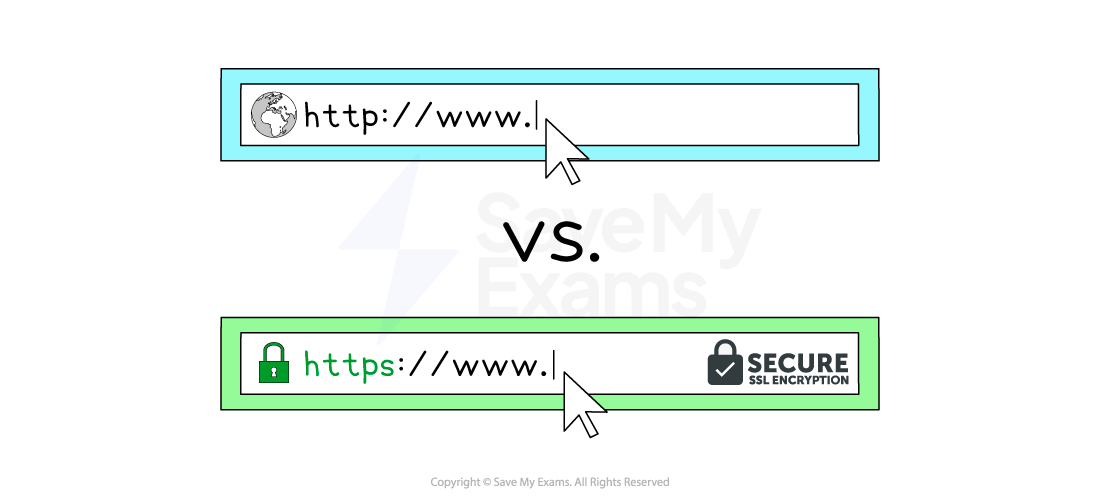
- Hypertext Transfer Protocol (HTTP) allows communication between clients and servers for website viewing
- HTTP allows clients to receive data from the server (fetching a webpage) and send data to the server (submitting a form, uploading a file)
- HTTPS works in the same way as HTTP but with an added layer of security
- All data sent and received using HTTPS is encrypted
- HTTPS is used to protect sensitive information such as passwords, financial information and personal data
FTP
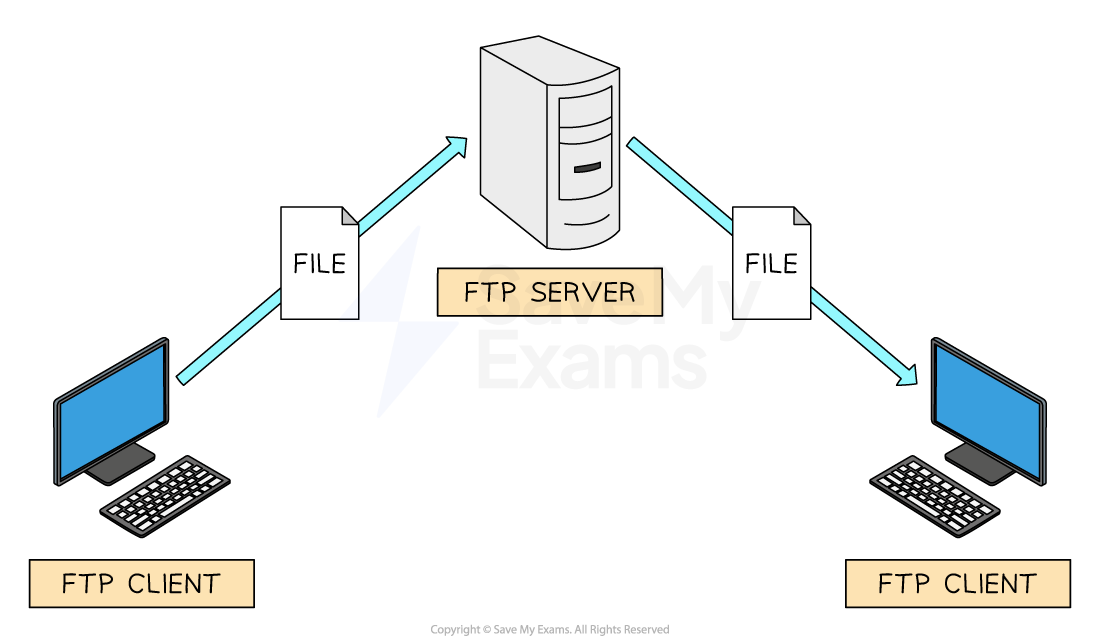
- File Transfer Protocol (FTP) allows sending and receiving files between computers
- Uploading and downloading files to/from a web server is often completed using FTP
- FTP offers greater efficiency and support for bulk transfers and large files such as resuming interrupted transfers
- FTP clients are software applications that use the FTP protocol to make the process easier for users
POP3, IMAP & SMTP
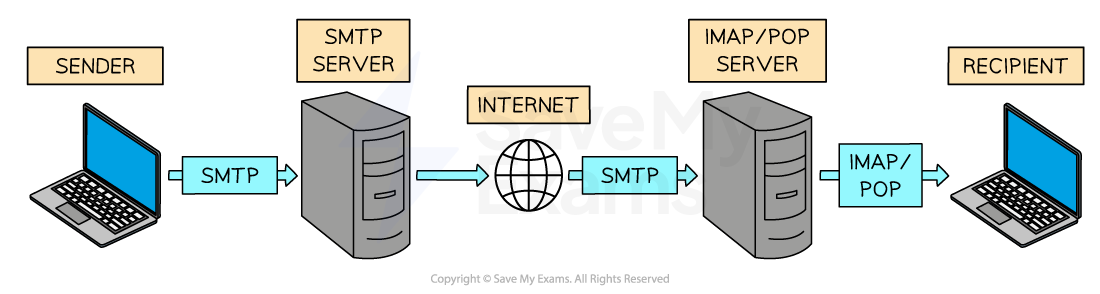
- A family of protocols that handle sending and receiving of email across the internet (WAN)
SMTP
- SMTP is a push protocol: it is used for sending (uploading) emails
- In the diagram above, SMTP is used to transfer the senders email to their email providers server and SMTP is used to transfer the email to the recipients email server
POP3
- POP3 is a pull protocol: it is used for receiving (downloading) emails from a mail server
- Once the email has been retrieved it is removed from the server
IMAP
- IMAP is also a pull protocol used for receiving (downloading) emails from a mail server
- Once the email has been retrieved, a copy is retained on the mail server
BitTorrent
- BitTorrent is a protocol for peer-to-peer file sharing over a network
- It allows files to be shared between thousands of users who are connected together over the internet
- Users share files directly with each other: the users' computers act as peers
- No web server or central device is used, and all users are of equal status
- This makes it efficient for sharing large files, as no single server has to supply the whole file to everyone
- While BitTorrent is a legal technology, it is sometimes used for sharing copyrighted content illegally, so ethical and legal use is important
Was this revision note helpful?
Build on this topic