Hardware, Firmware & the Operating System (Cambridge International IGCSE Computer Science)
Spec point —
4.1.3· "3 Understand how hardware, firmware and an operating system are required to run applications software"
Hardware, Firmware & the Operating System
How does application software, the operating system and hardware communicate?
Exam Hint Cambridge IGCSE 0478 expects you to explain how application software, the operating system, and hardware interact, and describe the role of firmware during startup. This page is focused only on what’s required for the exam—nothing extra.
- Application software talks to the operating system, this allows it to interact with the hardware
- The hardware processes and sends the information to the operating system which talks directly to the applications software
- This process is repeated while application software is in use
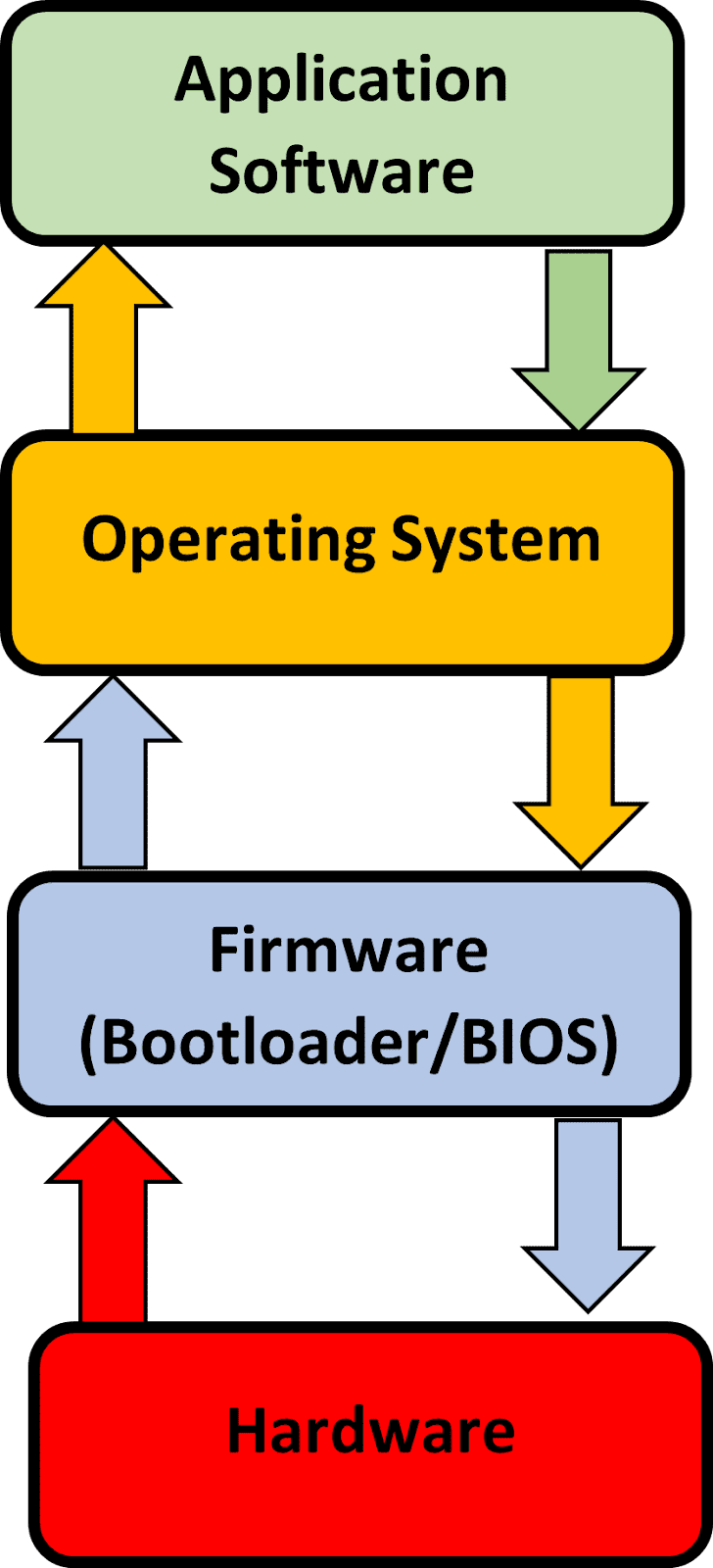
Exam Hint Always describe the communication flow as: Application software → Operating System → Hardware. The OS acts as a bridge. Saying software “talks to hardware” without the OS in between will lose you marks.
What is firmware?
- Firmware is embedded directly in to the hardware of a device, to make them function
- When a computer is turned on, it has to explore the ROM for its initial boot-up instructions, these are contained in a Bootstrap loader
- The initial process is handled by the basic input/output system (BIOS) which is known as firmware
- Once start-up is complete, instructions are sent to RAM to be processed by the operating system
- This layer ensures that hardware devices e.g. keyboard and mouse are available and can be communicated directly by the operating system
- Firmware translates between the hardware and the software
Exam Hint Students often confuse firmware with device drivers. Firmware is permanently stored in ROM and controls basic hardware functions. Drivers are OS-level software that allow hardware to communicate with applications.
Was this revision note helpful?