Cloud computing (Cambridge International AS Computer Science)
Exam board Cambridge International · ASUpdated 2026-03-19
Spec point —
2.1.6
Cloud computing
What is cloud computing?
-
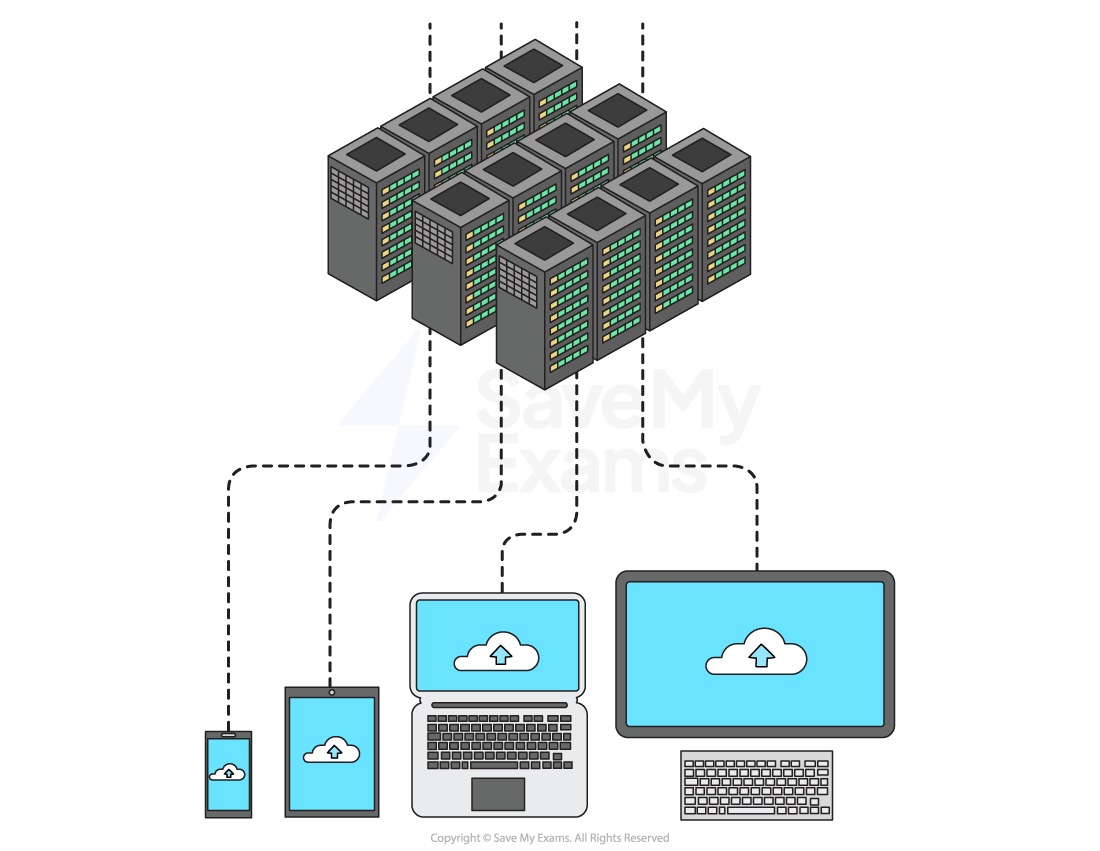
Cloud computing is when software, services or files are hosted entirely on remote servers
-
Accessed through the internet
-
The two most common cloud computing examples are:
- Cloud storage
- Cloud software
Cloud storage
- Cloud storage is long-term storage of data that resides in a remote location
- Accessible only via the Internet(WAN)
- Data is stored on remote servers in data centres
- Storage is usually on HDDs (magnetic) but increasingly SSDs (solid state)
- Examples include: Google Drive, Dropbox, OneDrive
Cloud software
-
Cloud software is hosted and managed remotely
-
The user accesses the software online (on demand)
-
The provider handles:
- Maintenance
- Upgrades
- Security
-
Typically paid for via a monthly fee or yearly subscription
-
Examples include: Google Docs, Microsoft 365, Adobe Creative Cloud
Worked Example A company uses cloud computing.
Define cloud computing. [1]
Final answer: Answer
- Accessing a service/files/software on a remote server [1 mark]
Benefits and drawbacks of cloud computing
Cloud storage
| Benefits | Drawbacks |
|---|---|
| Accessibility – access files from anywhere with an internet connection | Needs a reliable internet connection – slow or no connection can stop access to files |
| Easy to share and collaborate with others | Can be expensive – especially for large amounts of data or long-term use |
| Works on any device with internet access | Ongoing costs – often requires a monthly or annual subscription |
| Scalability – storage can be increased or decreased as needed | May need to pay for extra data transfer (upload/download limits) |
| Reliability – data is backed up across multiple servers | Security risks – data sent over the internet could be intercepted |
| Security features – encryption, multi-factor authentication | Less control – provider manages security, but you’re still responsible for protecting user data |
| No need to buy expensive storage hardware | |
| No need to hire specialist IT staff– support is handled by the provider | |
| Eco-friendly – centralised data centres are more efficient than millions of local servers |
Cloud software
| Benefits | Drawbacks |
|---|---|
| Accessible anywhere – use the software on any device with an internet connection | Needs internet access – won’t work properly offline |
| No installation needed – runs through a browser or app | Performance depends on internet speed – slow connections can affect usability |
| Automatic updates – provider handles all software updates and patches | Ongoing costs – usually requires a monthly or yearly subscription |
| Maintenance is handled – no need for specialist IT staff to manage or fix the software | Data privacy concerns – your data is stored on the provider’s servers |
| Scalable – easy to upgrade or downgrade your software plan | Less control – provider decides when updates or changes are made |
| Security included – providers manage security features like firewalls and encryption | Legal responsibility – you’re still responsible for how personal data is stored, even if it’s hosted |
| Often works across multiple devices – laptops, tablets, phones | Some features may be limited compared to full versions installed on a local device |
Public & private clouds
What is the difference between a public and a private cloud?
| Type | Public Cloud | Private Cloud |
|---|---|---|
| Ownership | Servers are owned and managed by a third-party provider | Servers are owned and managed by the company itself |
| Access | Services are shared with other organisations or users | Access is restricted to that company or organisation |
| Examples | Google Drive, Microsoft 365, Dropbox | Company intranet, internal company cloud servers |
| Cost | Cheaper – shared infrastructure reduces cost | More expensive – company pays for hardware, maintenance, and staff |
| Control | Less control over data and security settings | More control – company manages its own data and security |
| Security | Relies on provider’s security measures | Can apply custom security policies and have full oversight |
Worked Example Give two benefits and one drawback of using cloud computing. [3]
Final answer: Answer
Benefits (any 2):
- Files can be accessed from anywhere with an internet connection
- No need to purchase expensive storage hardware
- Storage is scalable, capacity can be increased or decreased as needed
- Data is automatically backed up across multiple servers
- Easy to share and collaborate with others
Drawback (any 1):
- Requires a reliable internet connection, slow or no connection prevents access to files
- Security risks as data is transmitted over the internet and could be intercepted
- Ongoing subscription costs can be expensive over time
Was this revision note helpful?