Translator types (Cambridge International AS Computer Science)
Exam board Cambridge International · ASUpdated 2026-04-23
What is a translator?
- A translator is a program that translates program **source code **into machine code so that it can executed directly by a processor
- Low-level languages such as** assembly code** are translated using an assembler
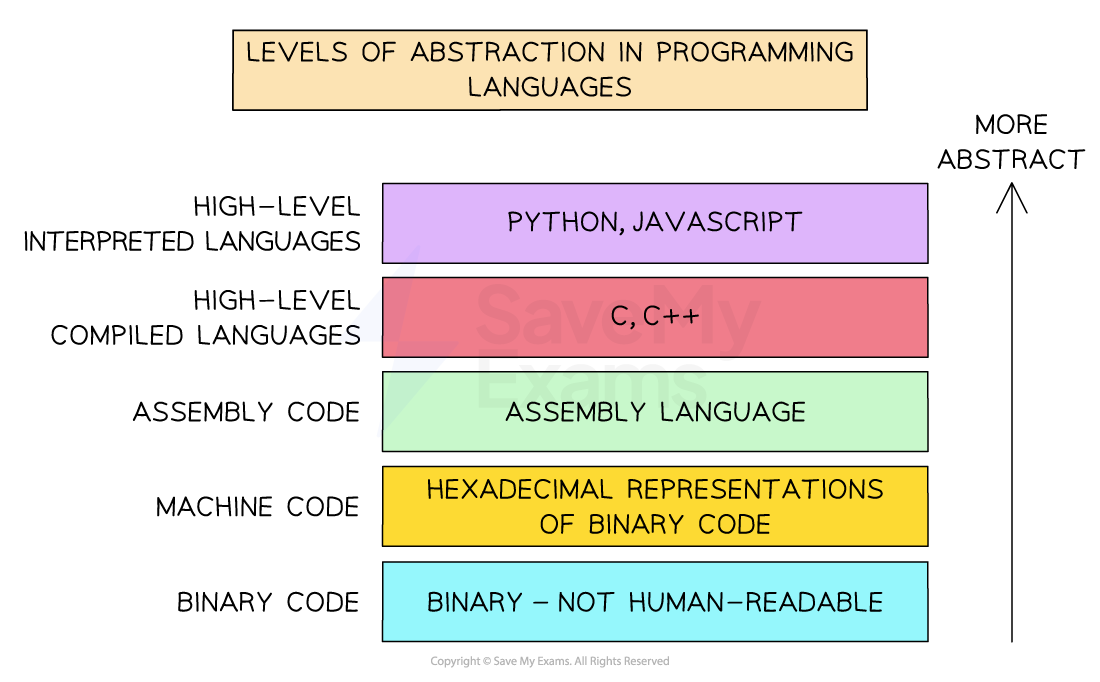
- High-level languages such as Python are translated using a compiler or interpreter
Assembler, compiler, interpreter
What is an assembler?
- An assembler translates mnemonics written in assembly language (low-level) in to machine code
- Each line of assembly language is assembled into a single machine code instruction
- Assemblers have been used less and less since high-level languages were introduced
| Advantages | Disadvantages |
|---|---|
| Speed of execution | Difficult to write due to limited and hard to understand commands |
| Optimises the code | Changes mean it must be reassembled |
| Original source code will not be seen | Designed solely for one specific processor |
What is a compiler?
- A compiler translates high-level languages into machine code all in one go
- Compilers translate inputs into machine code directly
- Compilers are generally used when a program is finished and has been checked for syntax errors
- Compiled code can be distributed (creates an executable) and run without the need for translation software
- If compiled code contains any errors, after fixing, it will need re-compiling
| Advantages | Disadvantages |
|---|---|
| Speed of execution | Can be memory intensive |
| Optimises the code | Difficult to debug |
| Original source code will not be seen | Changes mean it must be recompiled |
| It is designed solely for one specific processor |
What is an interpreter?
- An interpreter translates high-level languages into machine code one line at a time
- Each line is executed after translation and if any errors are found, the process stops
- Interpreters do not generate machine code directly, appropriate machine code subroutines are called
- Interpreters are generally used when a program is being written in the development stage
- Interpreted code is more difficult to distribute as translation software is needed for it to run
| Advantages | Disadvantages |
|---|---|
| Stops when it finds a specific syntax error in the code | Slower execution |
| Easier to debug | Every time the program is run it has to be translated |
| Require less RAM to process the code | Executed as is, no optimisation |
Compiler vs interpreter
| Aspect | Compiler | Interpreter |
|---|---|---|
| Software needed by user | End users only need the executable file, not the compiler – so there’s no extra cost or setup | End users need an interpreter or compiler to translate and run the source code – may involve setup or cost |
| Access to source code | Users do not receive the source code, so they can’t modify or extend the program | Users receive the full source code, making it easier to modify or extend the program themselves |
| Control and monetisation | Developers keep control of the code and can charge for upgrades or customisations | Developers lose control over their code, making it harder to monetise upgrades or prevent copying |
| Speed of execution | Compiled programs run faster, as translation is done in advance and optimised machine code is used | Interpreted programs run slower, since each line is translated every time it runs |
| Error handling | Compiled programs don’t run until all syntax and semantic errors are fixed | Errors are caught one line at a time, making it easier for the developer to test and fix during development |
| Portability | Compiled code can be run on different machines, regardless of where it was compiled | Interpreted programs must be interpreted on the same type of machine – less portable |
| Debugging experience | More difficult to test sections – developers need to write special routines to check partial results | Developers can view partial results as they go, making it easier to test, debug, and refine ideas |
| Crash risk | Untested compiled programs may crash the system if run with errors | Interpreted programs are safer during testing – errors are caught before the system can crash |
| User independence | Users are reliant on the developer for updates or modifications – they can’t edit the code themselves | Users have full access to code and libraries, giving them freedom to customise or fix the program |
Mixed mode translation
What is mixed mode translation?
-
Mixed mode translation combines features of both a compiler and an interpreter
-
Instead of fully compiling or interpreting the code, the program is partially compiled into an intermediate form, which is then interpreted at runtime
-
It works by:
- The source code is compiled into intermediate code, not full machine code
- This intermediate code (e.g. bytecode) is interpreted by a virtual machine (e.g. the Java Virtual Machine – JVM)
- Optionally, some parts may later be just-in-time (JIT) compiled into machine code for better performance
-
Java uses mixed mode translation:
- Java source code is compiled to bytecode (.class file)
- Bytecode is interpreted(or JIT compiled) by the JVM on any platform
| Feature | Compiler | Interpreter | Mixed mode translation |
|---|---|---|---|
| Translation | Entire program at once | One line at a time | Compiles to intermediate code |
| Speed of execution | Fastest (fully compiled) | Slowest | Medium (JIT makes it faster over time) |
| Portability | Not portable | Not portable | Highly portable (across platforms) |
| Errors shown | After full compilation | One at a time | During compile or runtime |
| Requires runtime system | No | Yes | Yes (e.g. JVM) |
| Example languages | C, C++ | Python, JavaScript | Java, C# (with .NET CLR) |
Worked Example Jennifer uses an Integrated Development Environment (IDE) to write her computer program.
The IDE allows Jennifer to use both an interpreter and a compiler while creating her computer program.
Describe the ways in which Jennifer can use both a compiler and an interpreter while developing the program.[4]
Final answer: Answer
Interpreter:
- Use an interpreter while writing the program [1 mark]
- … to test/debug the partially completed program [1 mark]
- … because errors can be corrected and processing continue from where the execution stopped // errors can be corrected in real time // errors are identified one at a time [1 mark]
Compiler:
- Use the compiler after the program is complete [1 mark]
- … to create an executable file [1 mark]
- Use the compiler to repeatedly test the same (completed) section [1 mark]
- … without having to re-interpret every time // compiler not needed at runtime [1 mark]
Was this revision note helpful?
Build on this topic