System performance (Cambridge International AS Computer Science)
Cores
What is a core?
-
A core acts like a mini CPU, it can fetch, decode, and execute instructions on its own
-
Each core has its own:
- Control Unit (CU)
- Arithmetic Logic Unit (ALU)
- Registers
-
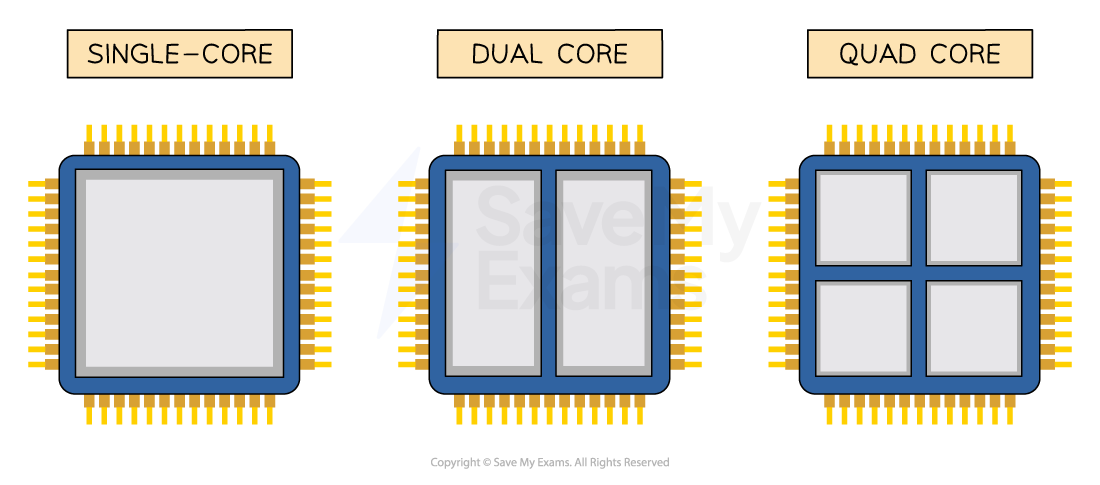
A CPU with more than one core is a multicore CPU
-
Allows for parallel processing, multiple instructions are processed at the same time
-
Example:
- A dual-core processor has 2 cores
- A quad-core processor has 4 cores
-
More cores = better performance, especially for powerful programs
-
Example:
- A quad-core CPU can run up to four sequences of instructions at the same time, one on each core
-
A dual-core processor isn't always twice as fast as a single-core
- Some time is used for organising tasks between cores
-
Not all tasks can be split across cores
- Some tasks are sequential and must be done step-by-step
Clock speed
What is clock speed?
-
The clock controls the timing of operations inside the CPU
-
It constantly switches between 0 and 1, each switch is called a state change
-
A state change can represent one step in the fetch-execute (F-E) cycle
- Some instructions may take more than one cycle
-
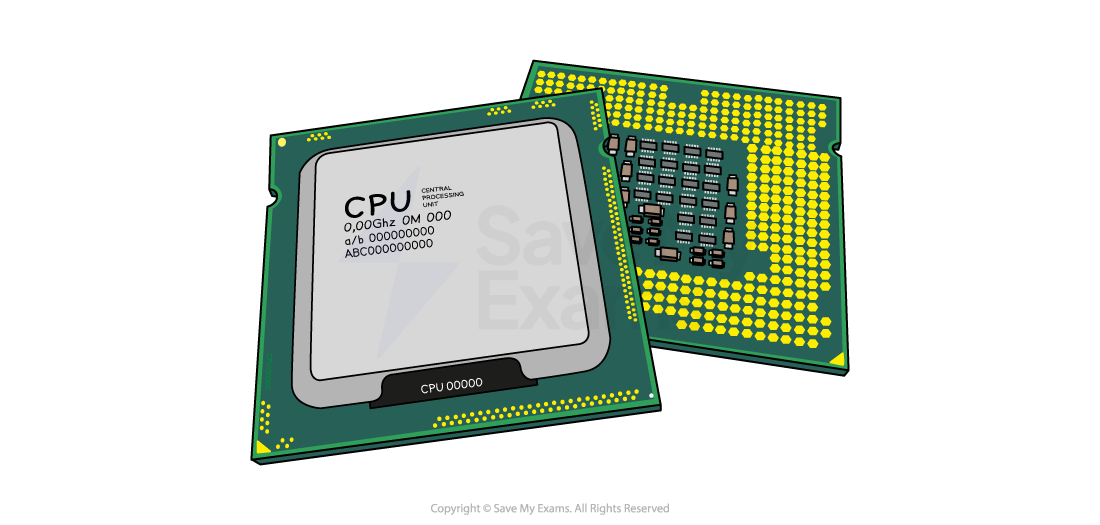
Clock speed measures how many state changes happen per second
-
1 cycle per second = 1 Hz
-
A typical clock speed is around 2.3 GHz
- That’s 2.3 billion cycles per second
-
A higher clock speed means the CPU can execute more instructions per second
-
This helps the computer run tasks more quickly and efficiently
Cache memory
What is cache memory?
-
Cache is part of primary storage
-
Stores frequently used data and instructions
-
Located closer to the CPU than RAM, so it’s faster to access
-
Some cache is built directly into each processor core
-
Speeds up the performance of the CPU
-
More cache = more data stored nearby = less time waiting for data from RAM
-
Example:
- When a program runs a loop, the same instructions are needed again and again
- After they are first fetched from RAM, they are kept in cache
- On later passes they are fetched from cache, which is faster than fetching from RAM, so the CPU spends less time waiting
Levels of cache
| Level | Location | Speed | Size |
|---|---|---|---|
| Level 1 (L1) | Inside each CPU core | Fastest | Smallest |
| Level 2 (L2) | Inside or near each core | Fast | Medium |
| Level 3 (L3) | Shared by all cores | Slower than L1/L2 | Largest |
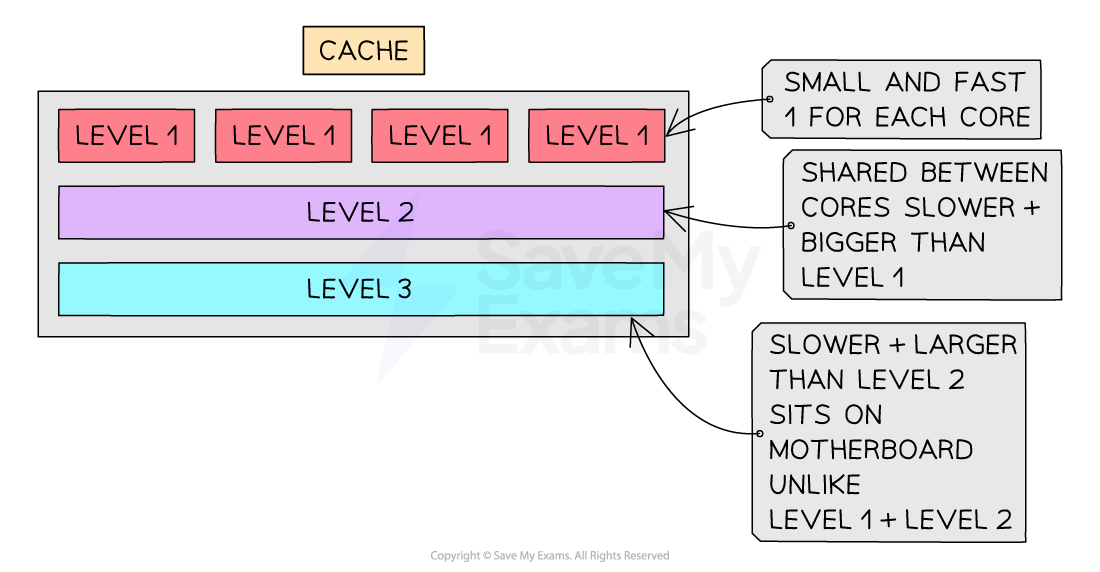
Diagram of the levels within the cache
Bus width
What is bus width?
-
Bus width is the number of bits a bus can carry at once
-
A wider bus can transfer more bits in a single operation
-
Example:
- A 32-bit bus transfers 32 bits at a time
- A 64-bit bus transfers 64 bits at a time
-
Increases performance, more data can be moved in the same amount of time
-
A wider address bus means:
- More memory locations can be directly addressed, e.g. a 32-bit address bus can address 232 memory locations
-
Important for high-performance tasks like gaming, video editing, or large data processing
Was this revision note helpful?
Build on this topic