Sound representation (Cambridge International AS Computer Science)
Exam board Cambridge International · ASUpdated 2025-12-01
Sound encoding
How is sound encoded in a computer system?
- Computers represent all data in binary, including sound that we record using a microphone (input) or sound that we playback from a speaker (output)
- For this to happen, analogue sound must be sampled and stored
Analogue sound
- Sound waves begin as analogue and for a computer system to understand them they must be converted into a digital form
- Measurements of the original sound wave are captured and stored as binary on secondary storage
- This process is called Analogue to Digital conversion (A2D)
- The process begins by measuring the loudness (amplitude) of the analogue sound wave at a point in time, this is called sampling
- The higher the amplitude, the louder the sound
- Each measurement (sample) generates a value which can be represented in binary and stored
- Using the samples, a computer is able to create a digital version of the original analogue wave
- The digital wave is stored on secondary storage and can be played back at any time by reversing the process
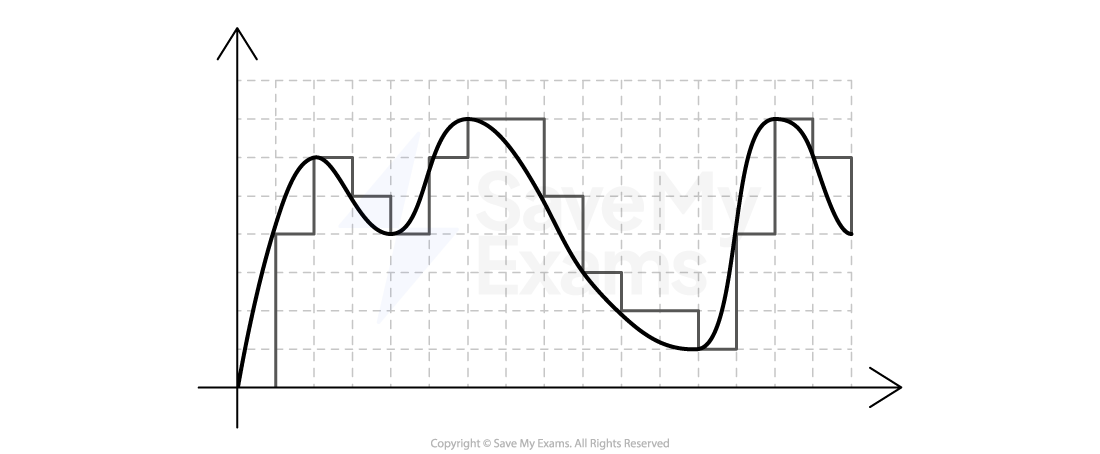
- In this example, the grey line **represents the digital wave **that has been created by taking samples of the original analogue wave
- In order for the digital wave to** look more like the analogue wave** (black line) the sampling rate, sampling resolution and sample interval can be changed
Sampling rate vs sampling resolution
Sampling rate
- The sampling rate is the amount of samples taken per second of the analogue wave
- Samples are taken for the duration **of the sound
- The sampling rate is measured in** Hertz (Hz)
- 1 Hertz is equal to 1 sample of the sound wave
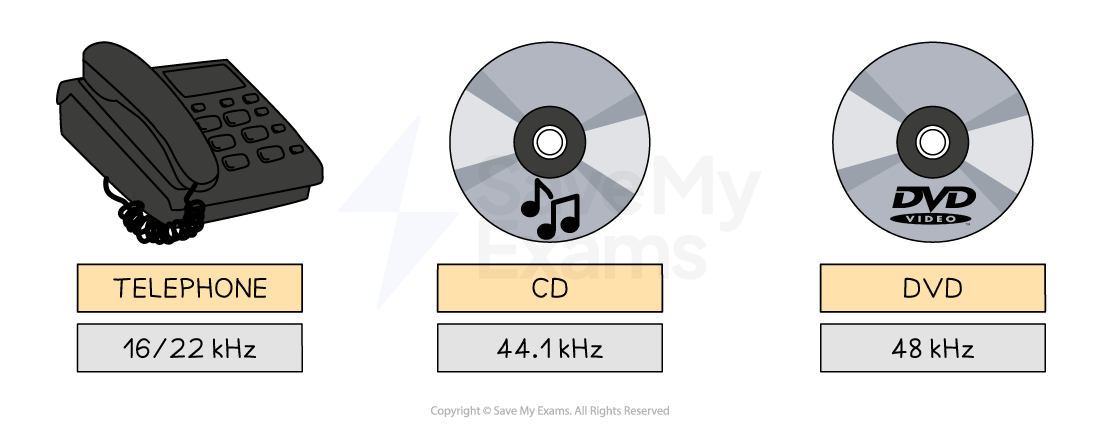
- The sample rate of a typical audio CD is 44.1kHz (44,100 Hertz or 44,100 samples per second), a sampling resolution of 16 bits and is recorded in stereo sound
- Using the graphic above to compare common sampling rates, the question, “Why does telephone hold music sound so bad?” can now be answered
Sampling resolution
- Sampling resolution is the **number of bits **used to represent each sound sample
- Sampling resolution is closely related to the** bit depth of a bitmap image**, they measure the same thing in different contexts
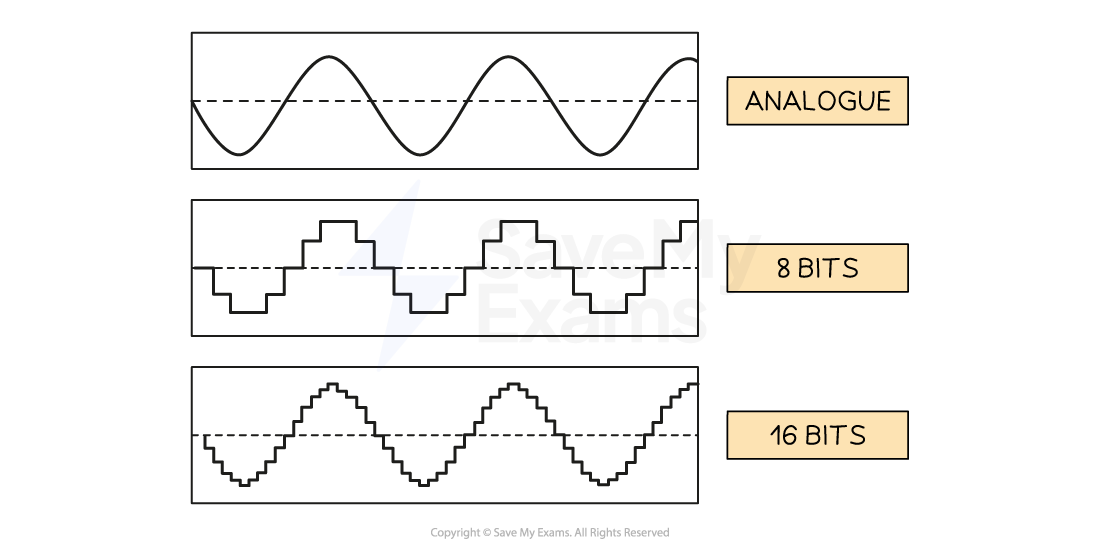
- In the example above, the higher the sample resolution, the closer to the original sound wave the digital version looks
Impact of sampling settings
What are the impacts of sampling settings?
| Factor | Effect of playback quality | Effect on file size |
|---|---|---|
| Sampling rate | ⬆️higher= more detail, better sound quality | ⬆️higher= more data, larger file size |
| Sampling resolution | ⬆️higher= bigger range, better sound quality | ⬆️higher= more data per sample, larger file size |
Was this revision note helpful?
Build on this topic