Network models (Cambridge International AS Computer Science)
Client-server & peer-to-peer
Spec point —
2.1.3
What is a client-server network?
- A client-server network is when powerful and reliable ‘server’ computers control the network and ‘serve’ the clients with services such as files, email, web access, etc
- Clients connect to the servers to access network services
- In this setup, the server hosts, delivers and manages most of the resources and services to be consumed by the clients
| Benefits | Drawbacks |
|---|---|
| Easier central management | Single point of failure - if the server goes down, services could be unavailable |
| Scalability: new clients can be added easily | It can be expensive to set up and maintain - often need dedicated teams of people to maintain them |
| Higher reliability as resources are managed centrally |
- A client-server network is typically used by larger organisations where centralised control is needed, and reliability and security are paramount
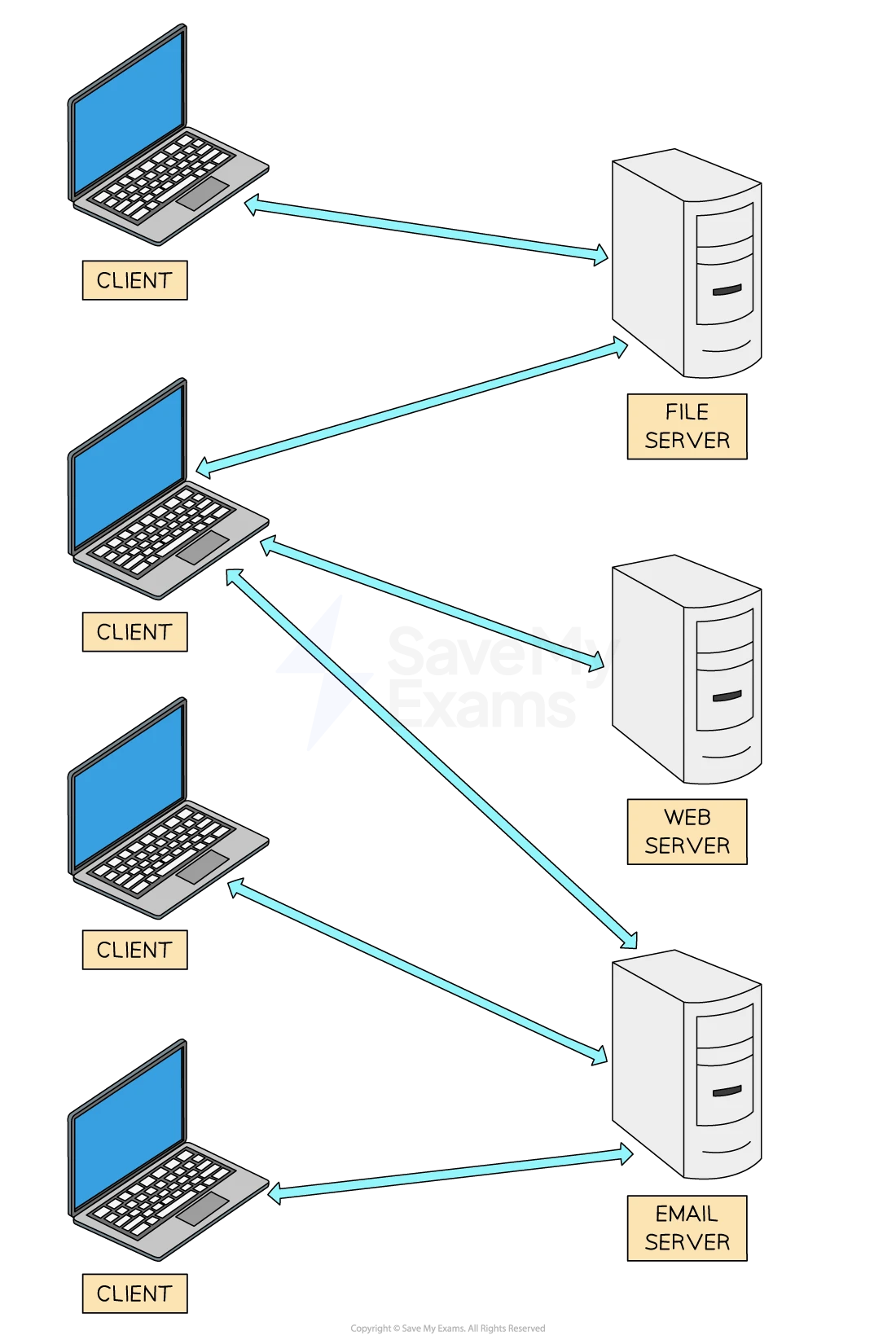
Client computers connected to different servers
When to use a client-server network
- The choice between client-server and peer-to-peer depends on the specific needs and resources of the network in question
- Security, cost, ease of setup, and maintenance requirements should be considered
Peer-to-peer
- This is the **simplest **type of network
- In this setup, all** computers in the network share equal responsibility,** and there is no central server
- All machines have equal status
- Each machine is the responsibility of that machine’s user in terms of security, backup, etc.
- Data is often spread around the network, with each user being responsible for their data
| Benefits | Drawbacks |
|---|---|
| Easy to set up and less expensive than client-server as no administrative staff are needed | Lack of central control can lead to security issues and vulnerabilities |
| No dependency on a central server | Not suitable for large networks as it can have performance issues |
| Data can be shared directly between systems without the need for a central server |
- A peer-to-peer network is typically used in home networks, by small businesses, or for specific applications like file sharing
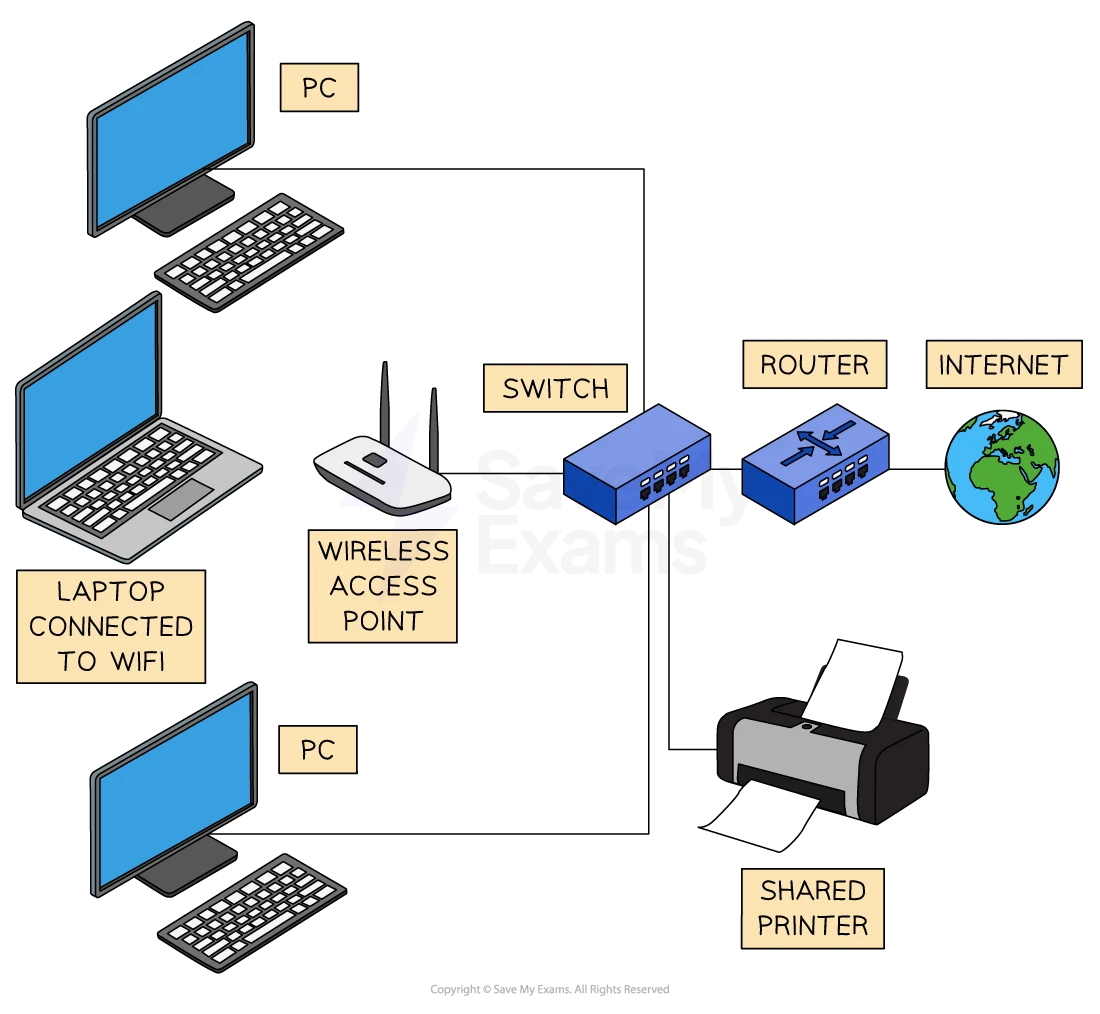
Peer to peer network example setup
Worked Example Describe the role of clients and servers on the Internet [2]
Final answer: Answer
1 mark per point (max 2):
- Web pages/files are saved on servers [1 mark]
- Clients send requests to the web servers [1 mark]
- Web servers process the requests... [1 mark]
- ...and return the results to the client [1 mark]
- The client displays the results to the user [1 mark]
Thin-client & thick-client
Spec point —
2.1.4
What is a thin-client?
-
A thin client relies on a permanent connection to a server to function
-
Can be hardware (a device) or software (an app or program)
-
Depends on the processing power of another computer or server
-
Cannot function without being connected to a networked computer or server
-
The server can be part of a LAN (local area network) or a WAN (wide area network)
-
Examples of thin-clients include:
- Cloud-based apps like Google Docs or Microsoft 365
- Remote desktop software (e.g. Chrome Remote Desktop, Citrix)
- Supermarket POS systems connected to a central server for prices, stock, and payments
Thick-client
-
Works independently without needing constant connection to a server
-
Can be a hardware device or software installed on a local machine
-
Uses the processing power of its own device to run applications
-
May connect to a network for updates or data sharing, but can function offline
-
Often used where performance, speed or offline access is important
-
Examples of thick-clients include:
- Installed software like Adobe Photoshop or Microsoft Word
- Standalone games installed and played on a PC or console
- School or office PCs running full applications locally
- Laptops that can run applications without an internet connection
| Feature | Thin-client | Thick-client |
|---|---|---|
| Dependence on server | Needs a permanent connection to a server to function | Can work independently of a server |
| Processing power | Uses the server’s processing power | Uses its own local processing power |
| Functionality when offline | Does not work without a connection | Can function offline |
| Examples | Google Docs, Microsoft 365, Remote Desktop, supermarket POS systems | Microsoft Word, Adobe Photoshop, standalone games, school laptops |
| **Best for ** | Centralised control, low-cost devices, shared environments | Performance, flexibility, offline access |
| Network type | Part of a** LAN** or WAN | May connect to a network, but not reliant on it |
Was this revision note helpful?