Integrity methods (Cambridge International AS Computer Science)
Validation & verification
What is validation?
-
Validation is an automated process where a computer checks if a user input is sensible and meets the program's requirements
-
There are seven categories of validation which can be carried out on fields and data types, these are
- Range check
- Format check
- Length check
- Presence check
- Existence check
- Limit check
- Check digit
-
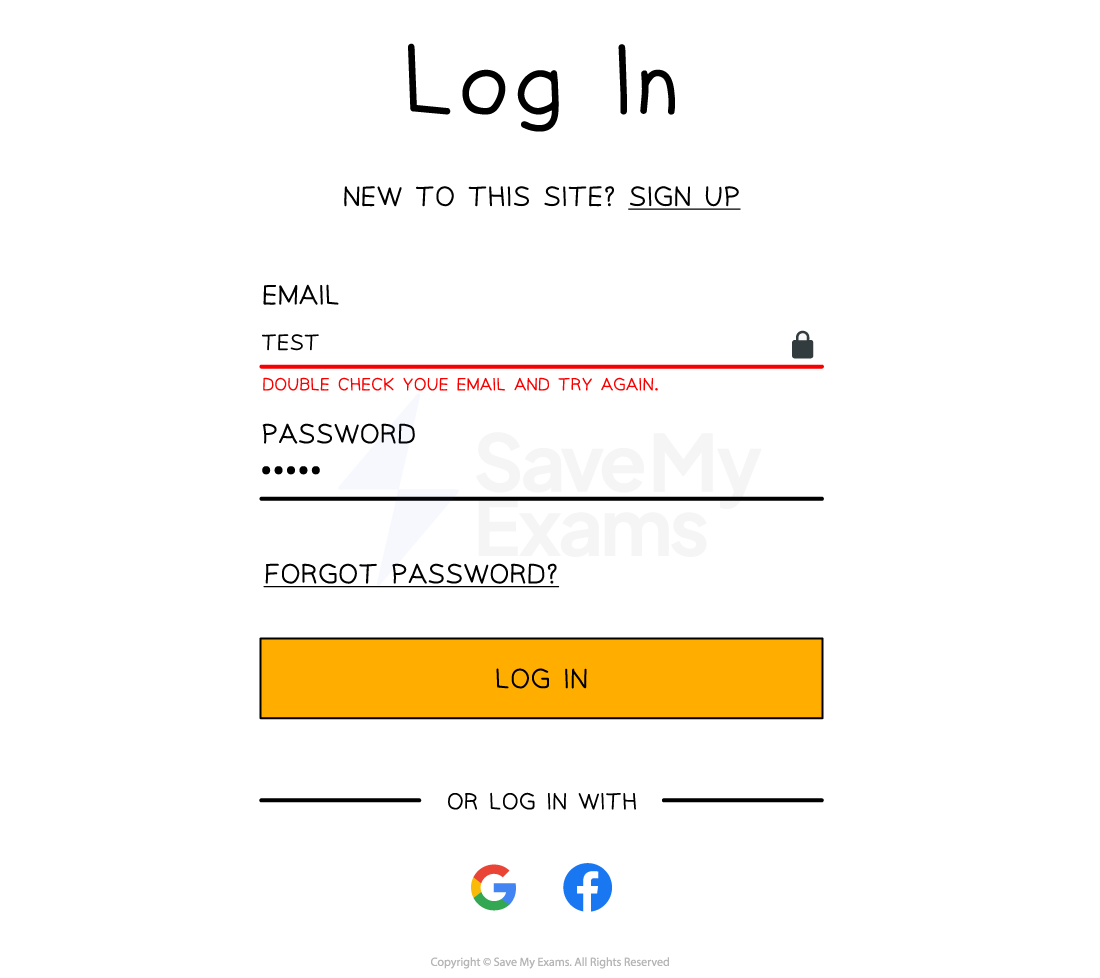
There can be occasions where more than one type of validation will be used on a field
-
An example of this could be a password field which could have a length, presence and format check on it
What is verification?
-
Verification is the act of checking data is accurate when being transferred or entered into a system
-
Verification methods include:
- Parity check (transfer)
- Checksum (transfer)
- Double entry checking (entry)
- Visual checks (entry)
Validation methods
| Validation type | Definition | Example |
|---|---|---|
| Range check | Ensures a number falls within a set range | Validating that a percentage is between 0 and 100 |
| Limit check | Checks that a value does not exceed a maximum limit | Ensuring no more than 5 items can be bought in a special offer |
| Length check | Checks the length of a string | Confirming a PIN is exactly 4 digits long |
| Check digit | An extra digit calculated from the other digits in a numeric code and added to the end; it is recalculated when the code is entered and compared | The final digit of an ISBN book number |
| Presence check | Checks that data has been entered and the field is not blank | Making sure a registration form is not submitted with blank fields |
| Existence check | Checks that a referenced value exists in a database or list | Confirming a student ID entered exists in the school records |
| Format check | Ensures data is in the correct format (e.g. patterns) | Making sure an email address contains '@' and a domain like '.com' |
- A type check (checking the data is the correct data type, e.g. age entered as a whole number) is not one of the seven named methods, but mark schemes do accept it as a validation check
What is a check digit?
-
A check digit is the last digit included in a code or sequence, used to detect errors in numeric data entry
-
Examples of errors that a check digit can help to identify are:
- Incorrect digits entered
- Omitted or extra digits
- Phonetic errors
-
Added to the end of a numerical sequence they ensure validity of the data
-
Calculated using standardised algorithms to ensure widespread compatibility
-
Examples of where check digits can be used include:
- ISBN book numbers
- Barcodes
ISBN book numbers
- Each book has a unique ISBN number that **identifies **the book
- A standard ISBN number may be ten digits, for example, 965-448-765-9
- The check digit value is the** final digit** (9 in this example).
- This number is chosen specifically so that when the algorithm is completed the result is a whole number (an integer) with no remainder parts
- A check digit algorithm is performed on the ISBN number and if the result is a whole number, then the ISBN is valid
Barcodes
- Barcodes consist of black and white lines which can be scanned using barcode scanners
- Barcode scanners shine a laser on the black and white lines which reflect light into the scanner
- The scanner reads the distance between these lines as numbers and can identify the item
- Barcodes also use a set of digits to uniquely identify each item
- The final digit on a barcode is usually the check digit, which is used to validate the number when it is scanned or typed in
Verification methods
What is a parity check?
- A parity check determines whether bits in a transmission have been corrupted
- Every byte transmitted has one of its bits allocated as a parity bit
- The sender and receiver must agree before transmission whether they are using **odd **or even parity
- If** odd parity** is used then there must be an odd number of 1’s in the byte, including the parity bit
- If **even parity **is used then there must be an even number of 1’s in the byte, including the parity bit
- The value of the parity bit is determined by counting the number of 1s in the seven data bits: if the count does not already match the agreed parity, a parity bit of 1 is appended, otherwise a parity bit of 0 is appended
- If the number of 1’s does not match the agreed parity then an** error has occurred**
- Parity checks only check that an error has occurred, they do not reveal where the error(s) occurred
Even parity
- Below is an arbitrary binary string
| EVEN Parity bit | Byte | ||||||
|---|---|---|---|---|---|---|---|
| 0 | 1 | 0 | 1 | 1 | 0 | 1 | 0 |
-
If an even parity bit is used then all bits in the byte, including the parity bit, must add up to an even number
- There are four 1’s in the byte
- This means the parity bit must be 0 otherwise the whole byte, including the parity bit, would add up to five which is an odd number
Odd parity
- Below is an arbitrary binary string
| ODD Parity bit | Byte | ||||||
|---|---|---|---|---|---|---|---|
| 1 | 1 | 0 | 1 | 1 | 0 | 1 | 0 |
-
If an odd parity bit is used then all bits in the byte, including the parity bit, must add up to an odd number
- There are four 1’s in the byte. This means the parity bit must be a 1 otherwise the whole byte, including the parity bit, would add up to four which is an even number
-
The table below shows a number of examples of the agreed parity between a sender and receiver and the parity bit used for each byte
| Example # | Agreed parity | Parity bit | Main bit string | Total number of 1’s | ||||||
|---|---|---|---|---|---|---|---|---|---|---|
| #1 | ODD | 0 | 1 | 1 | 0 | 1 | 0 | 1 | 1 | 5 |
| #2 | EVEN | 1 | 0 | 0 | 0 | 1 | 0 | 0 | 0 | 2 |
| #3 | EVEN | 1 | 0 | 1 | 0 | 1 | 1 | 1 | 1 | 6 |
| #4 | ODD | 1 | 0 | 1 | 1 | 1 | 0 | 0 | 1 | 5 |
| #5 | ODD | 1 | 1 | 0 | 1 | 0 | 1 | 0 | 1 | 5 |
| #6 | EVEN | 0 | 1 | 0 | 0 | 1 | 1 | 1 | 0 | 4 |
- Example #1: The agreed parity is odd. All of the 1’s in the main bit string are added (5). As this number is odd already the parity bit is set to 0 so the whole byte stays odd
- Example #2: The agreed parity is even. All of the 1’s in the main bit string are added (1). As this number is odd the parity bit is set to 1 to make the total number of 1’s even (2)
- Example #6: The agreed parity is even. All of the 1’s in the main bit string are added (4). As this number is even already the parity bit is set to 0 so the whole byte stays even
How do errors occur?
- When using parity bits, an error occurs when the number of total bits does not match the agreed parity
- Bits can be flipped or changed due to interference on a wire or wirelessly due to weather or other signals
| Example # | Agreed parity | Parity bit | Main bit string | Total number of 1’s | Error | ||||||
|---|---|---|---|---|---|---|---|---|---|---|---|
| #1 | ODD | 1 | 1 | 1 | 0 | 1 | 0 | 1 | 1 | 6 | Error |
| #2 | EVEN | 1 | 0 | 0 | 0 | 1 | 0 | 0 | 0 | 2 | Final answer: No error |
| #3 | EVEN | 1 | 0 | 1 | 1 | 1 | 1 | 1 | 1 | 7 | Error |
| #4 | ODD | 1 | 0 | 1 | 1 | 1 | 0 | 0 | 1 | 5 | Final answer: No error |
| #5 | ODD | 1 | 1 | 0 | 1 | 0 | 1 | 1 | 1 | 6 | Error |
| #6 | EVEN | 0 | 1 | 0 | 0 | 0 | 1 | 1 | 0 | 3 | Error |
- Parity checks are quick and easy to implement but fail to detect bit swaps that cause the parity to remain the same
What are parity byte & block checks?
- Parity blocks and parity bytes can be used to check an error has occurred and where the error is located
- Parity checks on their own do not pinpoint where errors in data exist, only that an error has occurred
- A parity block consists of a block of data with the number of 1’s totalled horizontally and vertically
- A parity byte is also sent with the data which contains the parity bits from the vertical parity calculation
- Below is a parity block with a parity byte at the bottom and the parity bit for each byte in the last column
| ODD | 1 | 2 | 3 | 4 | 5 | 6 | 7 | Parity bit |
|---|---|---|---|---|---|---|---|---|
| Byte 1 | 1 | 1 | 0 | 1 | 0 | 1 | 1 | 0 |
| Byte 2 | 0 | 0 | 0 | 1 | 0 | 0 | 0 | 0 |
| Byte 3 | 0 | 1 | 0 | 1 | 1 | 1 | 1 | 1 |
| Byte 4 | 0 | 1 | 1 | 1 | 0 | 0 | 1 | 1 |
| Byte 5 | 1 | 0 | 1 | 0 | 1 | 0 | 1 | 1 |
| Byte 6 | 1 | 0 | 0 | 1 | 1 | 1 | 0 | 1 |
| Byte 7 | 0 | 1 | 1 | 1 | 1 | 1 | 0 | 0 |
| Byte 8 | 1 | 0 | 1 | 1 | 0 | 0 | 0 | 0 |
| Parity byte | 1 | 1 | 1 | 1 | 1 | 1 | 1 | 1 |
- Each byte row calculates the horizontal parity as a parity bit as normal
- For each column, the parity byte is calculated down the columns, not across the rows
- It is calculated before transmission and sent with the parity block
- Each parity bit tracks if a flip error occurred in a byte while the parity byte calculates if an error occurred in a bit column
- By cross referencing both horizontal and vertical parity values the error can be pinpointed
- In the above example the Byte 3, column 4 cell is the error and should be a 0 instead
- The error could be fixed automatically or a retransmission request could be sent to the sender
What is a checksum?
- A checksum is a value that can be used to determine if data has been corrupted or altered
- It indicates whether data differs from its original form but does not specify where
- Checksums are calculated using an algorithm and the value is added to the transmission
- The receiving device re-calculates the checksum and compares to the original
- If the checksums do not match, it is assumed an error has occurred
What is double entry checking?
- Double entry checking involves entering the data twice in separate input boxes and then comparing the data to ensure they both match
- If they do not, an error message is shown
What is a visual check?
- A visual check involves the user visually checking the data on the screen
- A popup or message then asks if the data is correct before proceeding
- If it isn’t the user then enters the data again
Was this revision note helpful?
Build on this topic